
 Wissensdatenbank
Finden Sie Antworten auf häufige Fragen zu Cloudmersive-Produkten und -Services.
| Sharing a PowerApps App that Uses a Cloudmersive Connection with a Large Organization |
| 4/7/2023 - Cloudmersive Support |
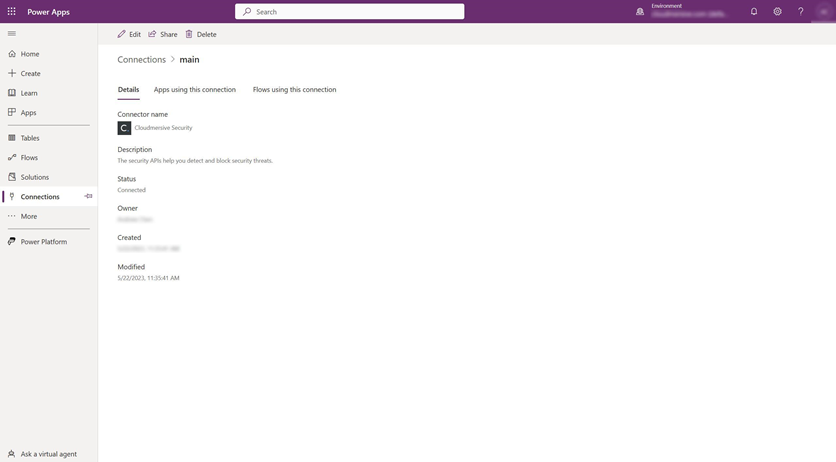
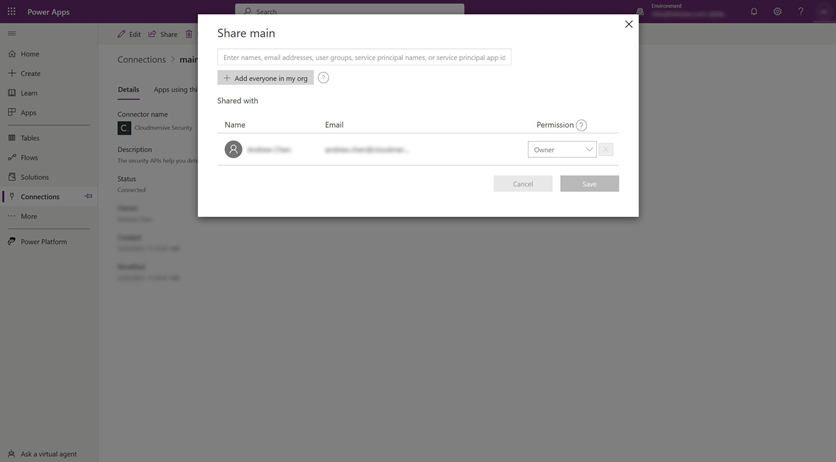
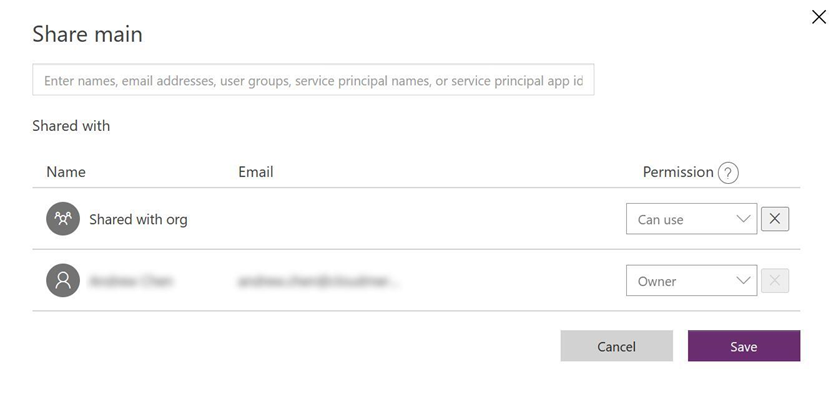
In this article, we provide guidance on how to share a PowerApps App that uses a Cloudmersive Connector, typically through a Power Automate flow, with a large organization. The key is that in addition to sharing your App, you also need to share access to the connections. First, open your PowerApps flow. Click on Share. In the screen that appears, click on Cancel. Then click on Connections. You should see a list of connections used in this app. Click on the Cloudmersive connection. You should now see something that looks like this: Now click on Share. You should now see this screen: Click on "Add everyone in my org". Once completed you should see this: Repeat this process for any other Cloudmersive connections. Once completed, now share your application with the needed users. Your users can now use the application and associated connections without having to re-create them. |
Jetzt registrieren oder 

 Virenscan-APIs
 Content Disarm and Reconstruction APIs
 Spam-Erkennungs-APIs
 APIs für Dokumentenkonvertierung & -verarbeitung
 Document AI APIs
 Natural Language Processing (NLP) APIs
 Optical Character Recognition (OCR) APIs
 APIs für Bild- und Gesichtserkennung und -verarbeitung